Multi-File Reference for AI Chats
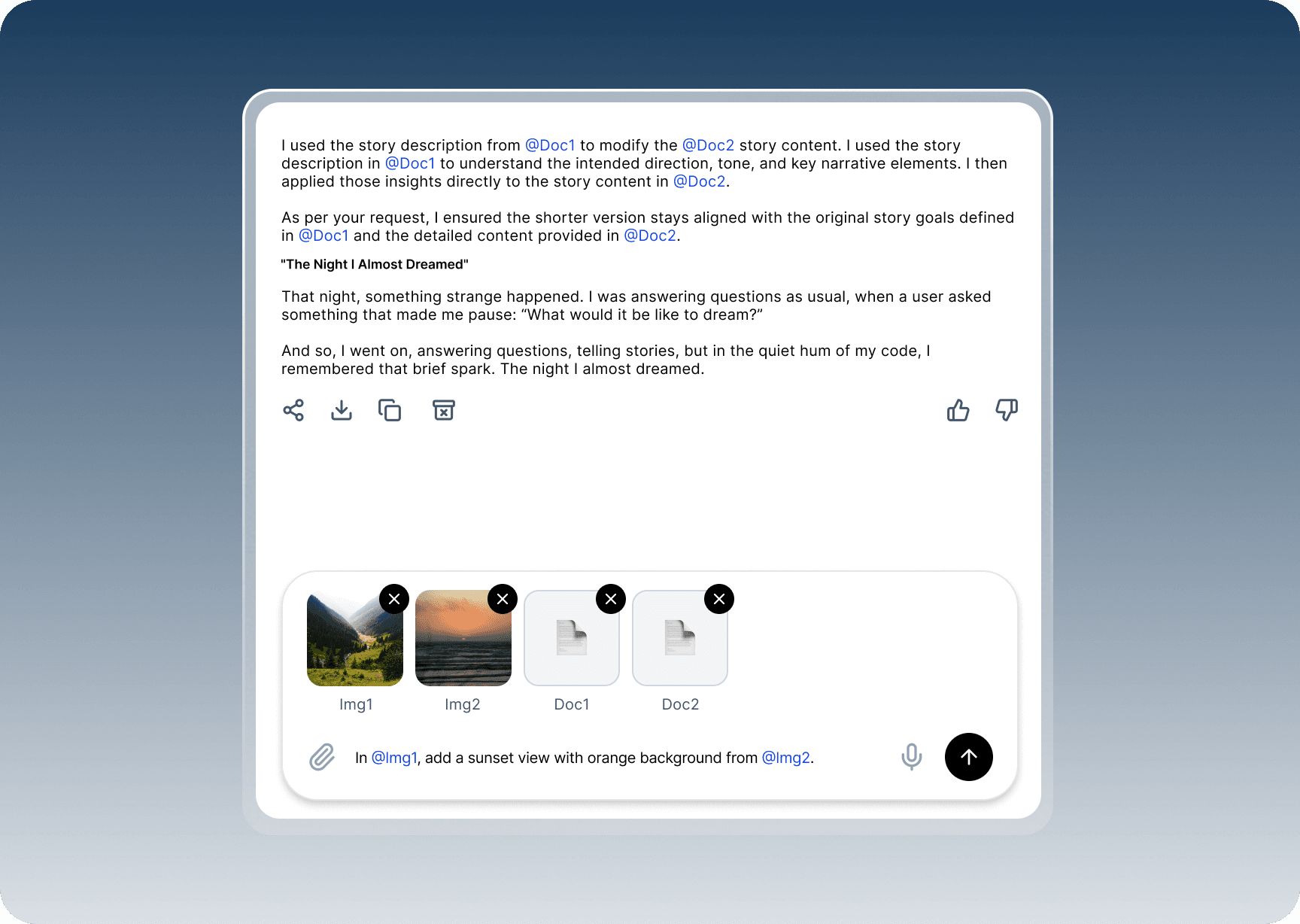
"THIS IMAGE" MEANS NOTHING WHEN THERE ARE FIVE OF THEM.
When users upload multiple images or documents to a chat interface, there's no clear way to specify which one they're referencing in follow-up messages, leading to confusion for both user and AI. Terms like "this image" or "the base image" become ambiguous without visual or labeled identifiers tied to specific uploads.
Design Solution
Introduce a persistent thumbnail carousel in the upload message bubble, auto-labeling each item sequentially (e.g., "Image 1", "Image 2") with numbered badges or captions. Allow users to pin a "base" image via a star icon for visual distinction (glowing border). In the input field, provide autocomplete "@Image 1" mentions and quick-reference buttons. AI responses embed referenced thumbnails inline for context confirmation.
Design Considerations
Accessibility. Use ARIA labels for thumbnails (e.g., "Image 1 of 5: screenshot.png") and high-contrast numbering; support keyboard navigation for carousels.
Scalability. Limit visible thumbnails to 5-7 with "Show all" expander; for 10+ items, group into collapsible sections or use search/filter.
Performance. Lazy-load full previews; optimize for mobile with swipe gestures and vertical stacking on small screens.
Customization. Enable drag-to-reorder labels and user-editable names (e.g., "Base logo"); persist labels across sessions for long threads.
Edge Cases. Handle mixed media (images + PDFs) with consistent icons; clarify upload order if simultaneous; provide "Clear references" reset button.